The mileage app that logs your drives by itself.
Pair your car once. When your phone connects to the car's Bluetooth, a trip starts; a few minutes after it disconnects, the trip ends. Mark it business or personal, then export a clean log.
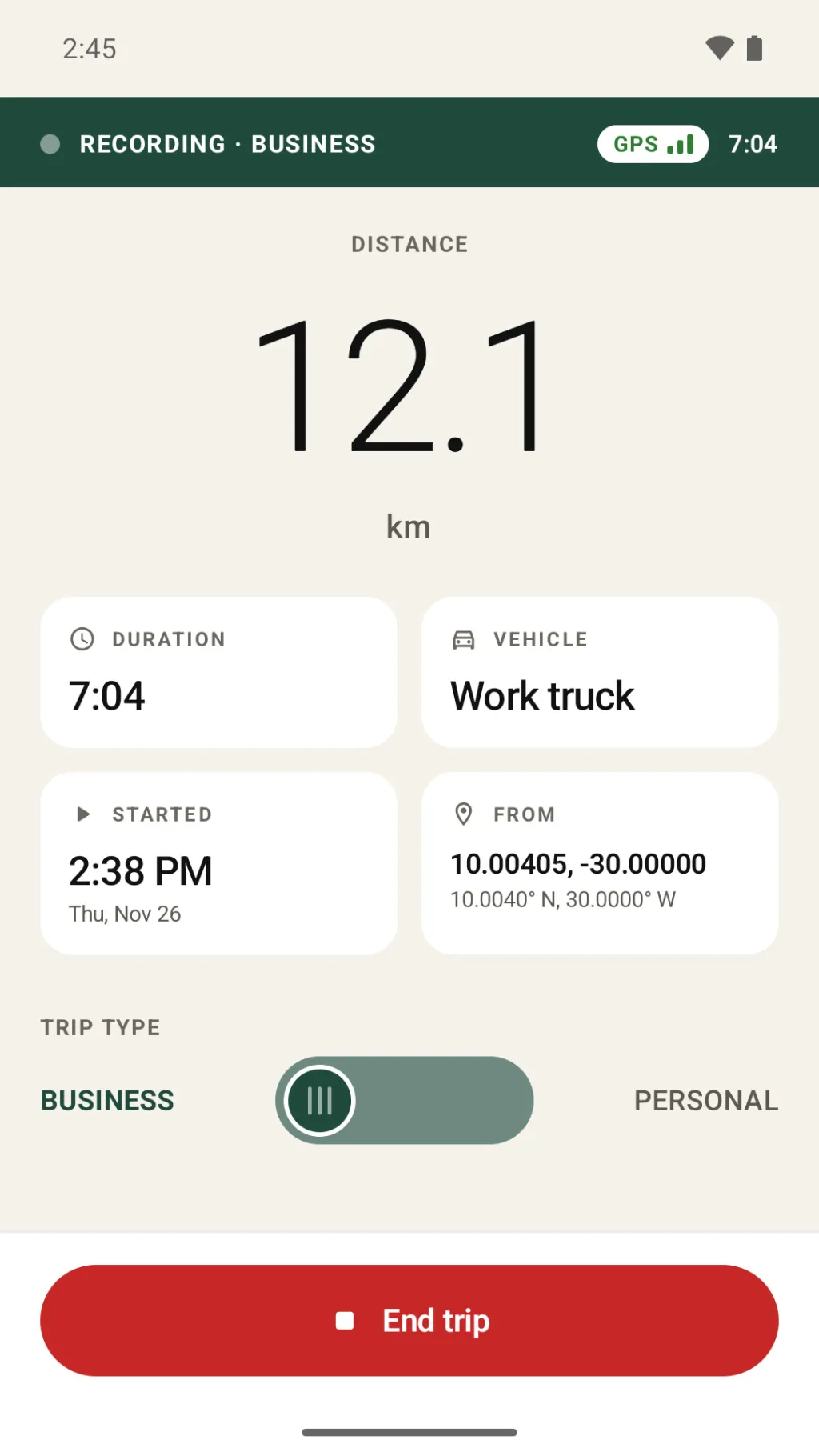
For people who drive for work
If you keep a log of the kilometres or miles you drive for work, Roadometer keeps it for you.
Business or personal, already marked
Roadometer marks each trip Business or Personal from your work hours, your saved places and the vehicle you drove.
Every client, by name
Save your clients and job sites as places once. Later trips there are named for you.
Vehicles and businesses
Keep several vehicles and businesses in one app, and see a report for each.
No account, no ads
No sign-in, and nothing is sent to us. Your trips are stored on your phone and in the Google Drive folder you choose for backups.
Set it up once, then just drive
No button to remember at the start of a drive, and none at the end.
Add your car
Pick your car from the phone's paired Bluetooth devices, then approve auto-start when Android asks, so trips can start even when the app is closed.
Drive as usual
When your car connects and starts moving, a trip starts. It ends a few minutes after the car disconnects.
Review it
When a trip ends, a notification asks you to review it. Its type is already picked; swipe the trip to switch it.
A logbook you can hand over
Each trip with its date, times, places, distance, vehicle and purpose, ready to export.
Start and end, not the route
Each trip keeps where it started and ended, with its street address if you turn on address lookup. Never the path in between, and never your speed.
Saved places and commutes
Name home, the office and your clients once. A trip between the two ends of a commute is marked Personal.
Work hours
Set your work hours, and a Business default counts only during them.
Needs attention
Trips not yet reviewed, or with no purpose or no destination, are marked until you fix them.
Split, merge or add
Split one drive into two trips, join two trips into one, or add a drive that was not recorded.
Odometer readings
Record each vehicle's odometer, see how much of the distance was tracked, and get reminders on dates you pick.
Reports and trends
Distance by period, vehicle and business, and the business share of what you tracked.
PDF or CSV
Export a PDF to read or print, or a CSV for a spreadsheet. Kilometres or miles, your choice.
Inside the app
Your trips, the fixes, the reports and the export, each a tap from the bottom bar.
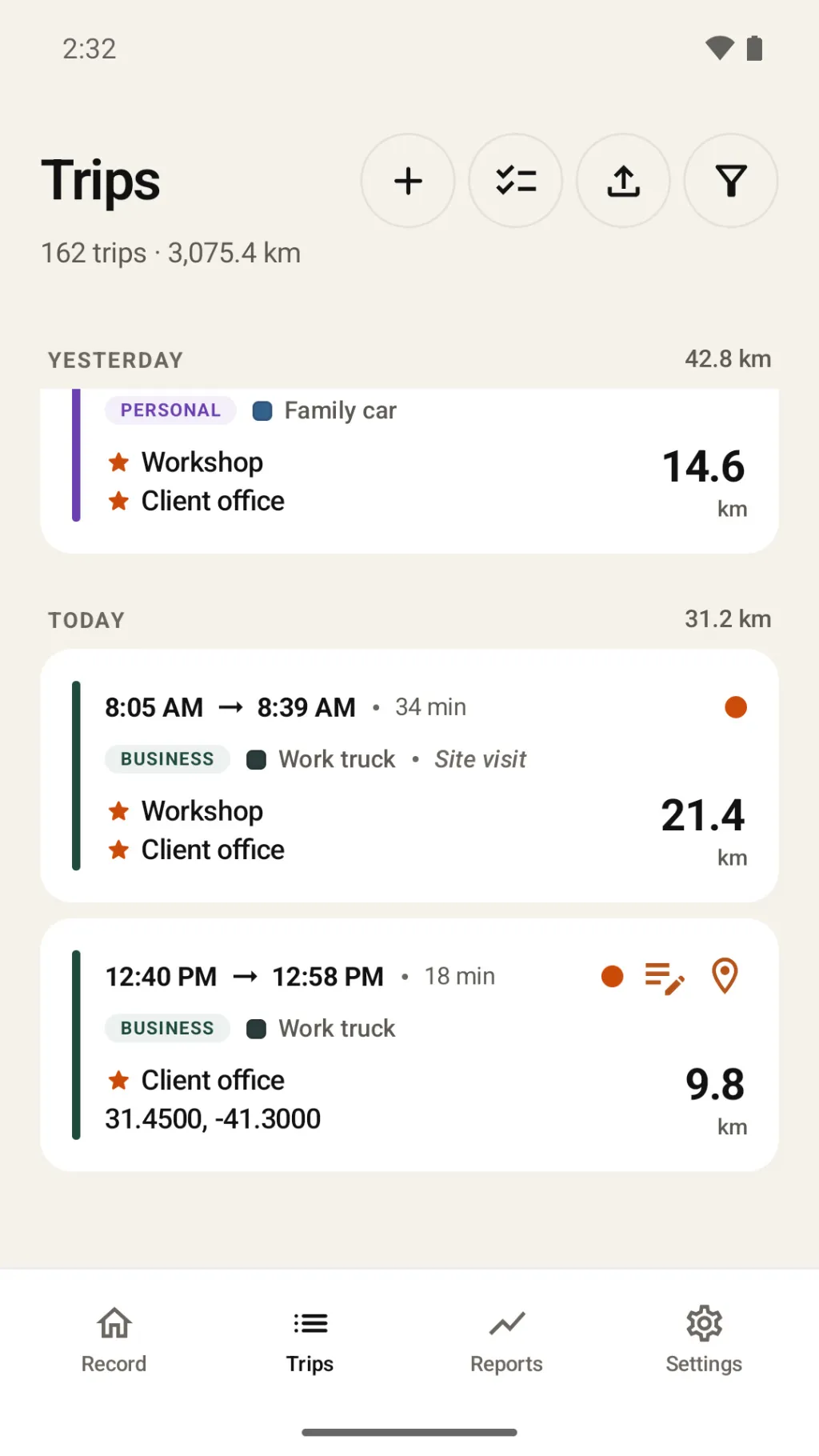
Every trip, in order
Trips are listed by date with their type, places and distance. Swipe one to switch its type or add a purpose.
- Filter by date, vehicle, business, place or what needs attention.
- Select several trips to export or delete them together.
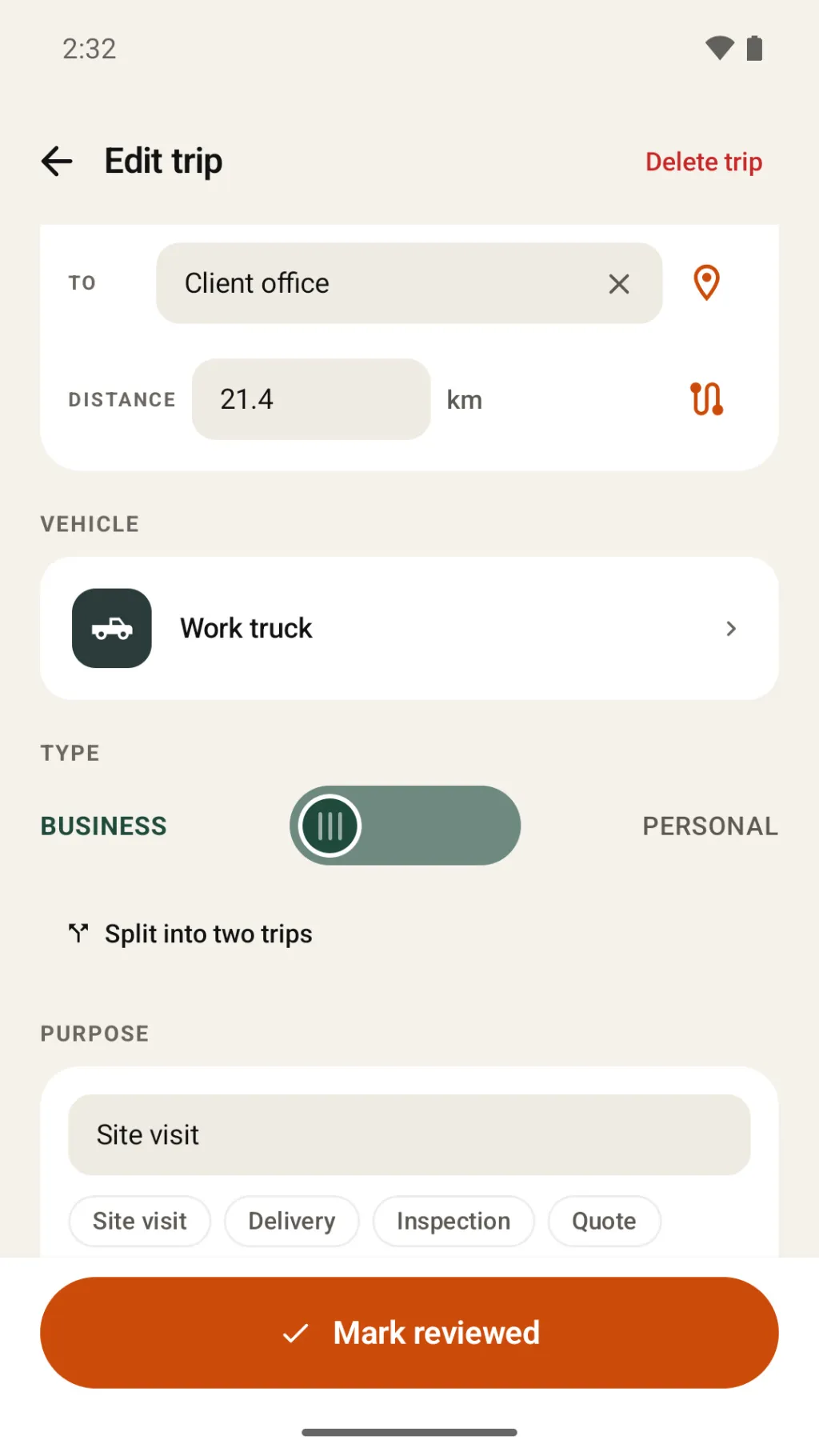
Fix a trip in a few taps
Change its type, purpose, places, distance or notes. Pick a saved place, and its type, business and purpose come with it.
- One drive that was really two trips? Split it where you stopped.
- Two trips that were one drive? Merge them.
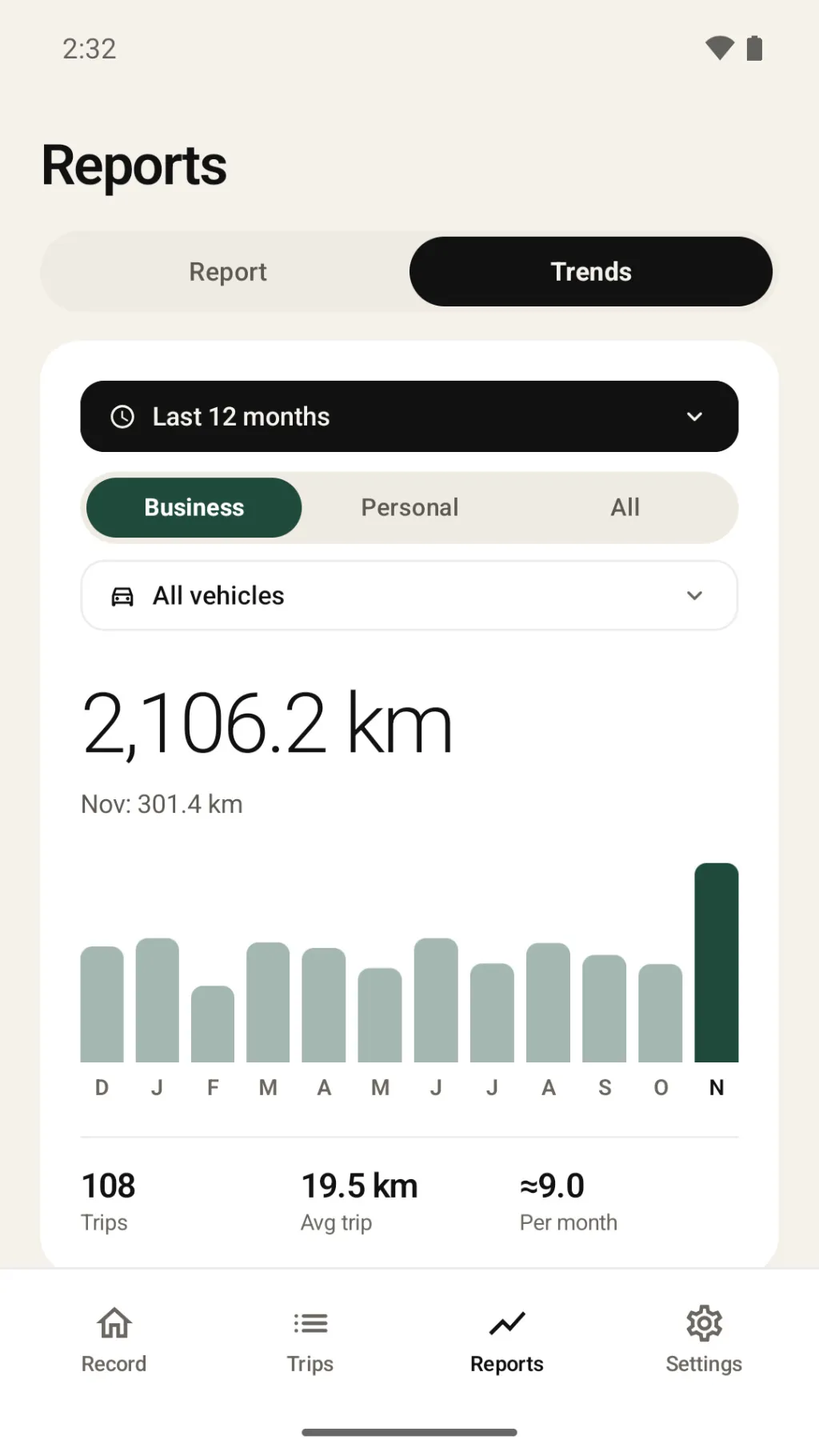
Reports and trends
Totals for a month, a quarter, a year or any range you choose, for one vehicle or business or all of them.
- Trends shows how your driving changes over the year.
- Export straight from a report.
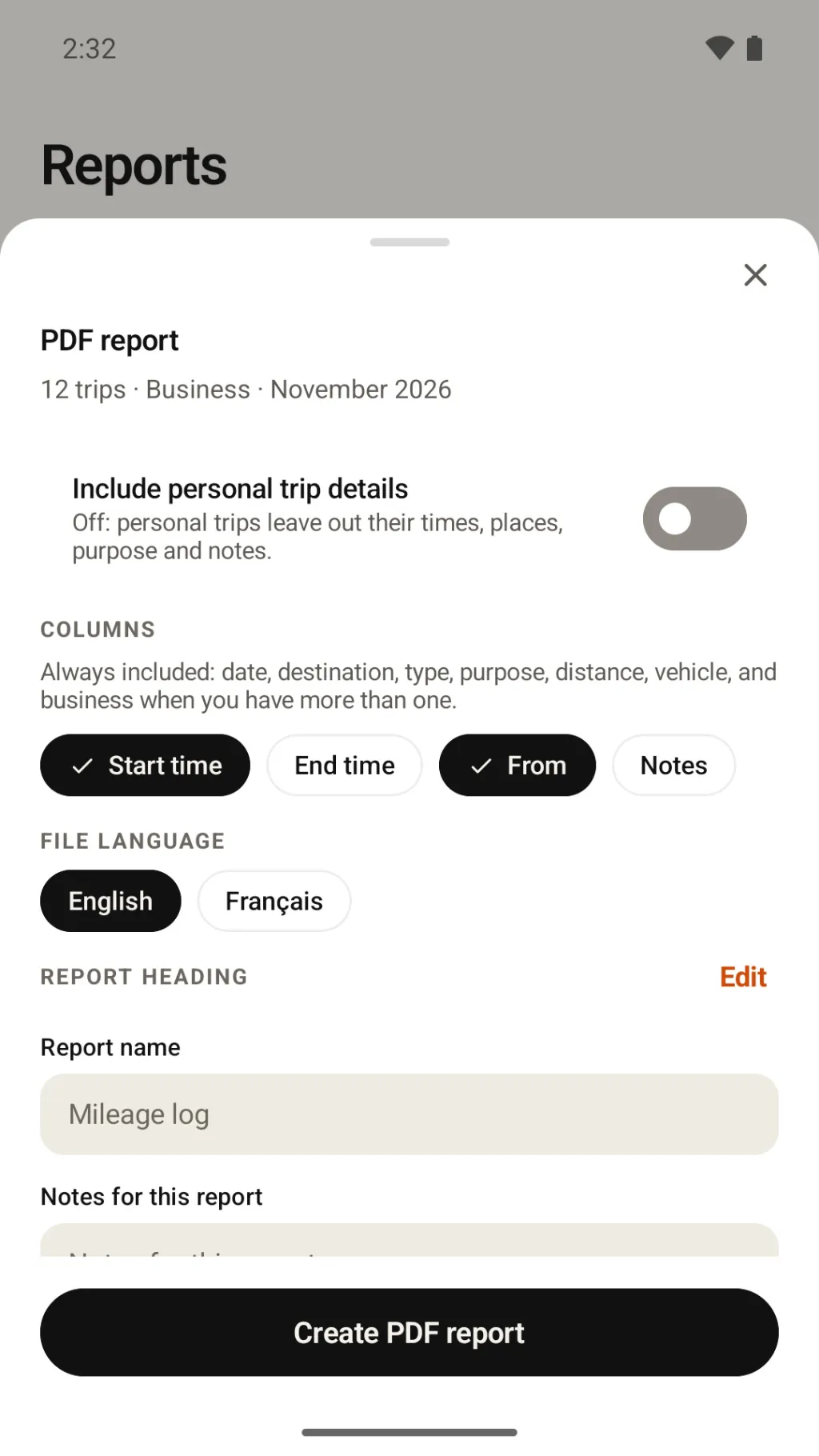
Export a log you can hand over
Create a PDF report to read, print or hand over, for the period, vehicle and business you choose. Or export a CSV for a spreadsheet: a report's trips, a filtered list or the trips you select.
- Choose a PDF report's extra columns and its language, English or French.
- Personal trips leave out their times, places, purpose and notes unless you include them.
- Your tax authority sets what a logbook needs and how long to keep it.
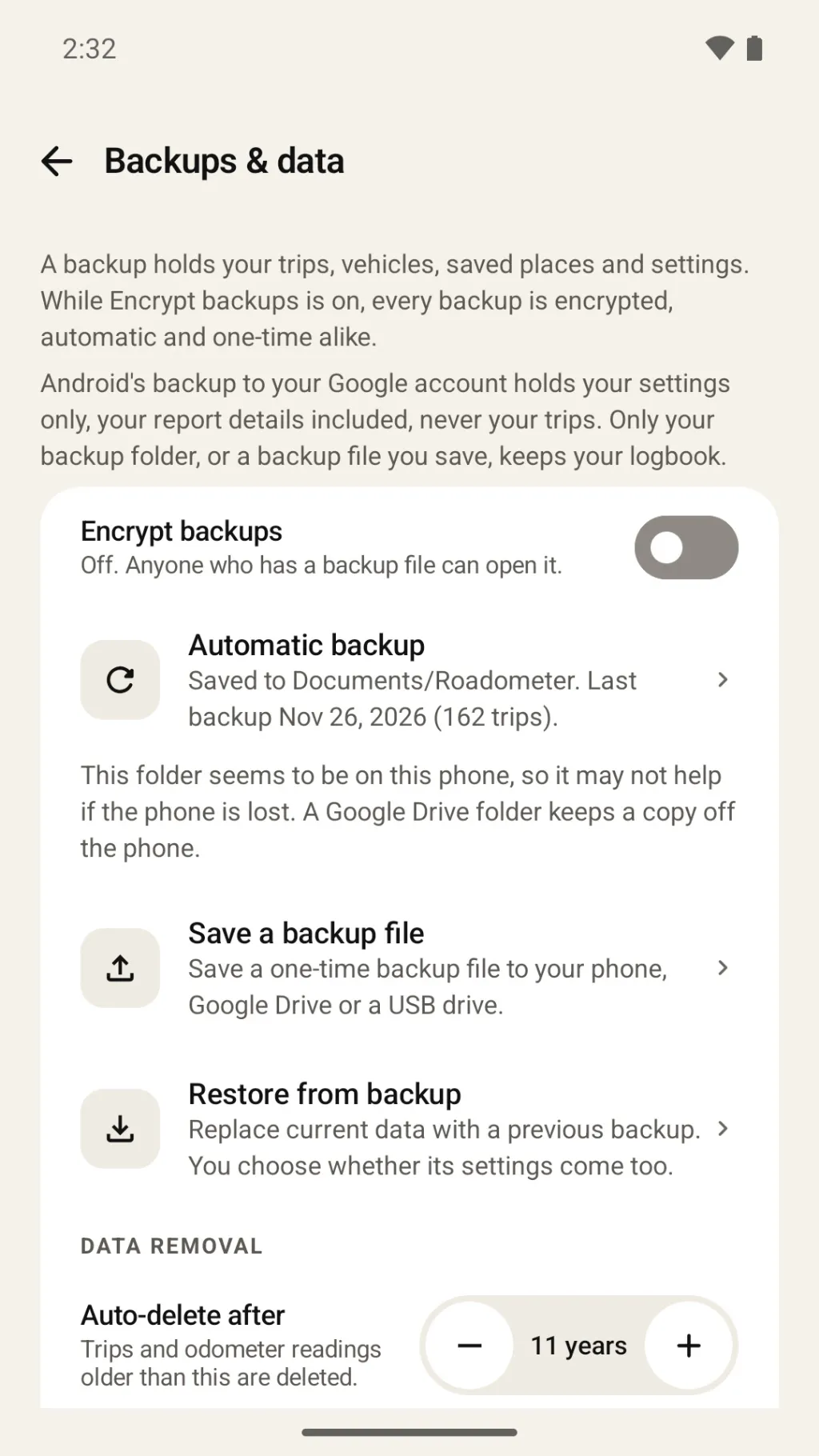
Your backup is a file you keep
Save your trips, vehicles, places and settings to one file, wherever you choose, and restore it on a new phone.
- Android's backup to your Google account can bring back your settings, but not your trips. Keep them with automatic backup to a Google Drive folder.
- Turn on Encrypt backups, and your backup files need your passphrase to open.
- Before each restore, Roadometer saves a copy of your data, so you can undo it.
Roadometer sends nothing to us
No account, no server of its own, and no internet permission.
Roadometer does not have the internet permission, so Android does not let it open a connection. There is no account, no sign-in, no analytics and no advertising, and we never see your trips. Your logbook is stored on your phone. Roadometer uses your location only while your car is connected, during a trip and for a few minutes after, or when you start a trip or save a place yourself.
Three things can leave your phone, through Android, and you control all three. Street addresses are off until you turn on "Look up addresses online": then Android looks up each trip's start and end with its address service, usually Google's. Leave it off and nothing is sent; trips show your saved places' names, or map coordinates. And if your phone's backup is on, Android copies Roadometer's settings, never your logbook, to your own Google account. Automatic backups, if you turn them on, go to the Google Drive folder you choose; the Drive app uploads them.
Free to try, then a one-time purchase
Roadometer is free for 14 days or 20 trips, whichever is later. After that, a one-time purchase through Google Play unlocks the full app — no subscription.
If you don't unlock it, new trips aren't recorded, but your trips stay in the app, and you can always export them.
Questions people ask first
Short answers about recording, privacy, the unlock and moving phones.
Does the app need to be open?
No. Once you approve your car, trips start even if Android has closed the app. Roadometer needs your location "Allow all the time" for that.
What if my car has no Bluetooth?
Start and end the trip by hand on the Record screen. That works for a borrowed car too.
Is it tracking me all day?
No. It uses your location only while your car is connected, during a trip and for a few minutes after. It keeps where each trip started and ended, never the route between them, and never your speed.
Do I need an account?
No. There is no account and no sign-in. Your purchase stays with your Google account, so reinstalling the app brings it back.
Kilometres or miles?
Either. You choose when you set up, and can change it later in Settings.
How do I move my trips to a new phone?
Turn on automatic backup to a folder in Google Drive, or save a backup file from Settings, and restore it on the new phone. Android's backup can bring back your settings, but not your trips. Automatic backups are supported only with Google Drive. Other storage apps aren't supported and may not work.
Can I lock the app?
Yes. Turn on "Require unlock to open", and Roadometer asks for your screen lock or a biometric, such as your fingerprint, when it opens.
Which languages is it in?
English and French (Canada). Roadometer follows your phone's language; on Android 13 or later you can also choose its language in Android's settings. A PDF report can be in either language.
Which phones does it run on?
Android phones with Android 11 or later. There is no iPhone version.
Where do I get it?
It is not on the Google Play Store yet — it is coming soon.